Customer story
How Cheryl Turned a Yard Full of Flagstone into a Finished Patio
A homeowner used photos of her actual stones to test layouts digitally, then gave the crew a numbered installation map.
What would have taken hours of heavy lifting took minutes.
From screen to stone
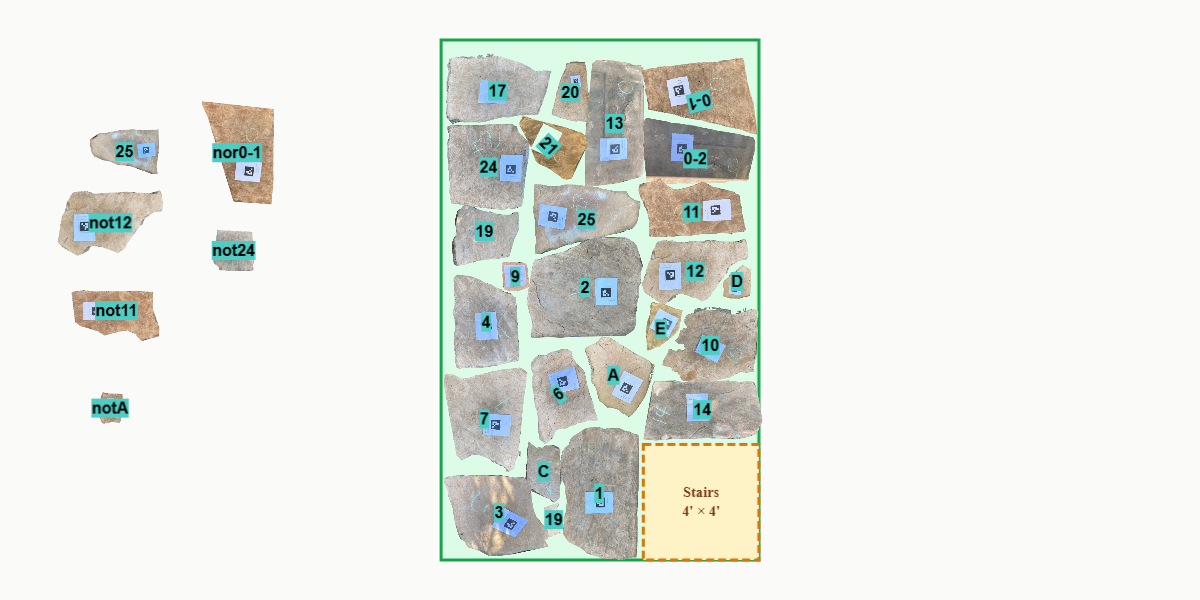
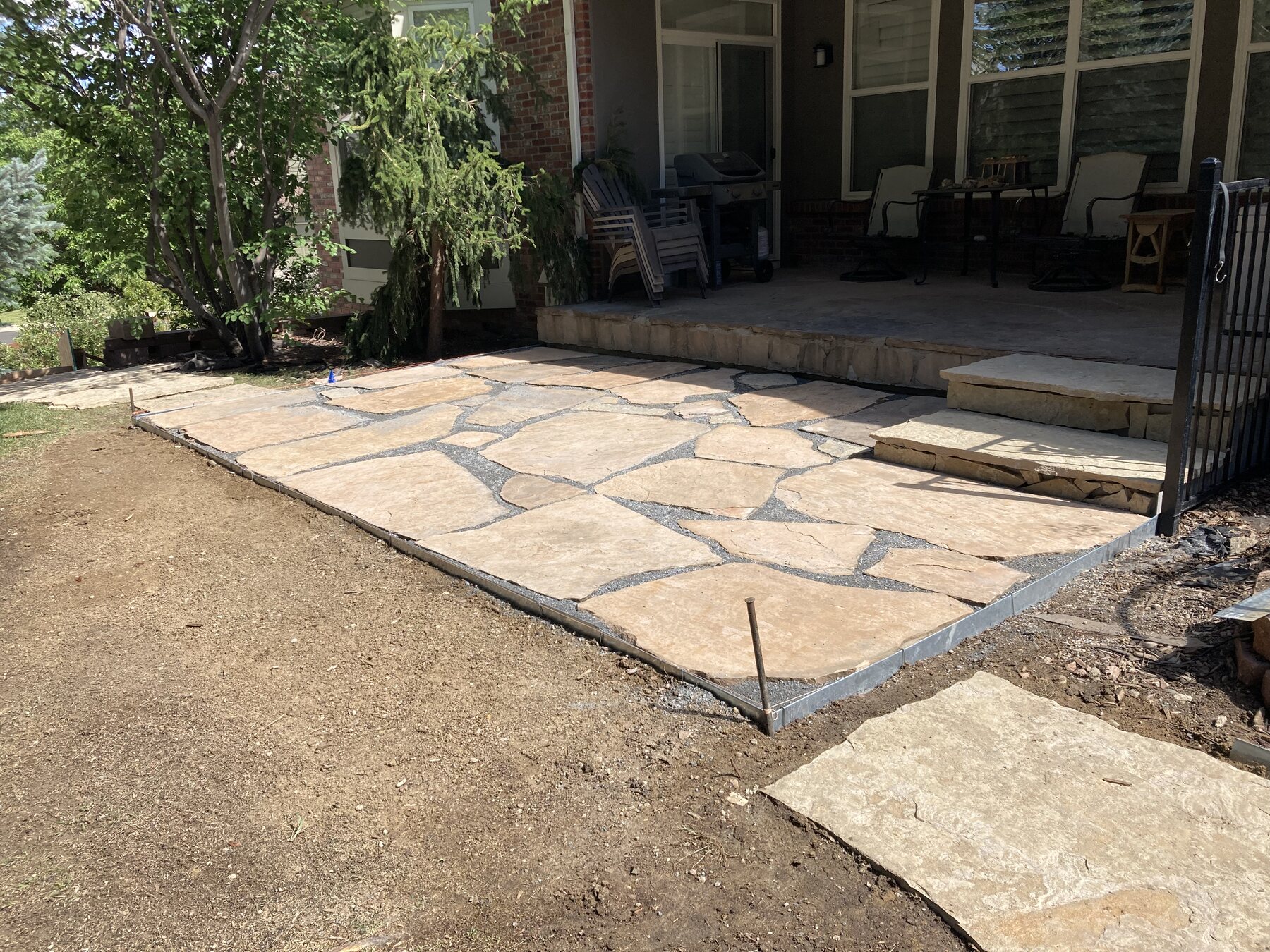
The digital plan and the built patio
The same numbered layout became the installation map used by the crew.
In her own words
Cheryl's story
We were relaying our flagstone patio. The old stones were pulled up, and the new base was ready to go. We had a yard full of heavy flagstone and no clear plan for where each piece should go. We tried numbering the stones in a photo and matching them to the stones in the yard, but it quickly became a guessing game. Although some pieces were easy to identify, many looked much the same. This was also complicated because we'd gained extra stones from removing some stairs and wanted to expand the size of the patio. With most stones three feet square and over two inches thick, physically shuffling them around to test a layout simply wasn't realistic.
That's when Hardscape Genius came to the rescue. We uploaded photos of every stone, and suddenly rearranging the layout was just a click and a spin. What would have taken hours of heavy lifting took minutes. Over the course of a couple of hours, we were able to run through several different layout options before landing on the right one. The software even let us label each stone with its number and flag any that needed to be flipped, so the final printout became a simple map: find the stone and place it where marked.
The patio turned out beautifully, and our crew was happy that this saved them a lot of time and effort. I can honestly say that we couldn't have done it without this tool!
Have a yard full of stone and no clear layout?
Upload the pieces you actually have, try the arrangements digitally, and leave yourself or your installer a numbered map.
Plan My Patio Free